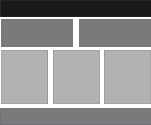
Web Page Layouts
How to Design a Web Page
Divisions and CSS
The accepted way of building web pages today is with division tags and CSS (cascading style sheets).
This can be a very confusing chore if you try to do it with all the bells and whistles that CSS has to offer.
The easiest way for beginners to get started is to use fixed width and height web pages. As you get more experience and learn more about CSS, you can learn the more complicated methods of designing with CSS.
One of the advantages of designing web pages in this manner is that you can create very basic HTML code, build the site with CSS and then do a complete redesign wthout ever touching the HTML code.
Below you will find 4 designs created by arranging divisions in different ways. A simple diagram of the Divisions is shown beside it. You can get more information on using Division Tag from our HTML tutorial.
Layout #5
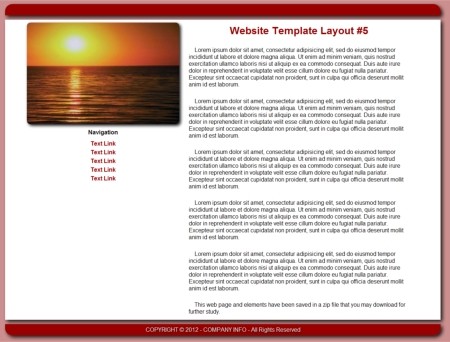
The first layout is very basic and uses 2 main divisions.
Get the code: Click Here
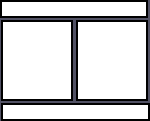
The actual structure of the page is shown in the diagram to right.
- Division 1
- left Column heading and navigational devices
- right Column document body
- Division 2
- contains footer

Layout #6
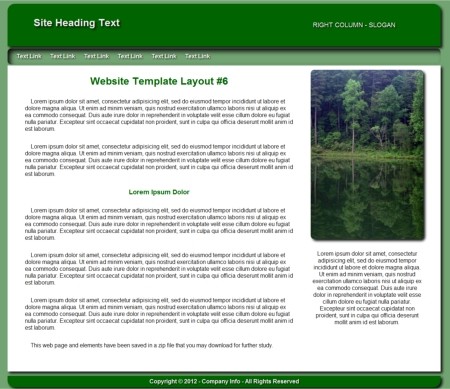
This web page consists of 4 main divisions.
Get the code: Click Here
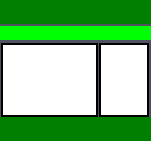
- Division 1
- Left Column company Logo
- Right Column Slogan
- Division 2
- 1 Column for navigation
- Division 3
- Left Column - Body Text
- Right Column - image
- Division 4
- 1 Column - footer
See also: How to Create Web Page Headings
How to Create Equal Height Content Adjusting Columns

Layout #7
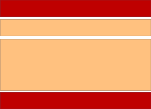
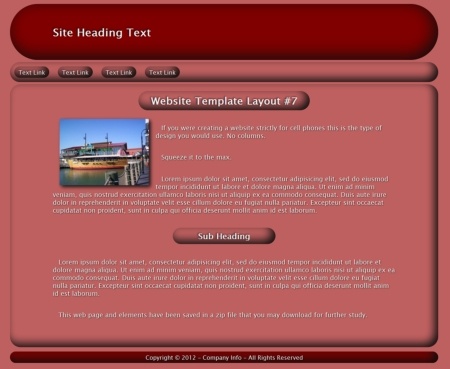
The web page here is constructed using 3 single column divisions. A fourth could be added for the footer.
Get the code: Click Here
See also: How to Create Web Page Headings
How to Create Equal Height Content Adjusting Columns

Layout #8
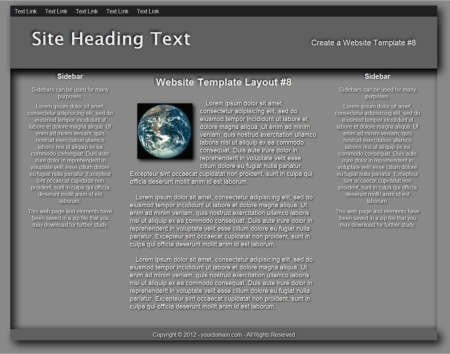
This web design layout is also made up of 4 main divisions.
Get the code: Click Here
- Division 1
- 1 Column for navigation
- Division 2
- Left Column Logo
- Right Column Slogan
- Division 3
- Left Column Sidebar
- Center Column Body content
- Right Column Sidebar
- Center Column Body content
- Division 4
- 1 Column for footer
See also: How to Create Web Page Headings
How to Create Equal Height Content Adjusting Columns
Design a Web Page With Tables
There is an outdated method of creating web pages using tables. Though not accepted by today's authorities, it is very easy for beginners to learn. For details see the tutorial and example pages.